The International House New York (I-House) Programs Calendar is a private calendar subscription that adds programs and events to Apple Calendar, Google Calendar, Outlook, and other calendar apps. House Desk calls this private subscription your Programs feed. Subscribe once and published changes arrive automatically; there is nothing new to import each week.
Choose your task
| I want to | Go to |
|---|---|
| Subscribe for the first time | Create a Programs feed |
| Keep or replace an existing feed | Choose what happens to the current feed |
| Renew, revoke, or check a feed | Use Manage |
| Fix delayed or failed updates | Troubleshoot a sync error |
| Report an entry that looks wrong | Report a mismatch |
| See where an entry came from | Check an entry’s source |
| Check whether a weekly session runs | Read about recurring programs |
| Find a notice rather than an event | Use the Bulletin |
Request the confirmation email
- Open the Programs subscribe page.
- Enter your name and email, then pass the Verify you are human check. Email me the link stays disabled until that check passes.
- Choose Email me the link, then check your inbox and spam folder.
- Open the email link within six hours. House Desk shows a confirmation preview based on whether you already have a feed. Opening the link does not create or replace anything by itself.
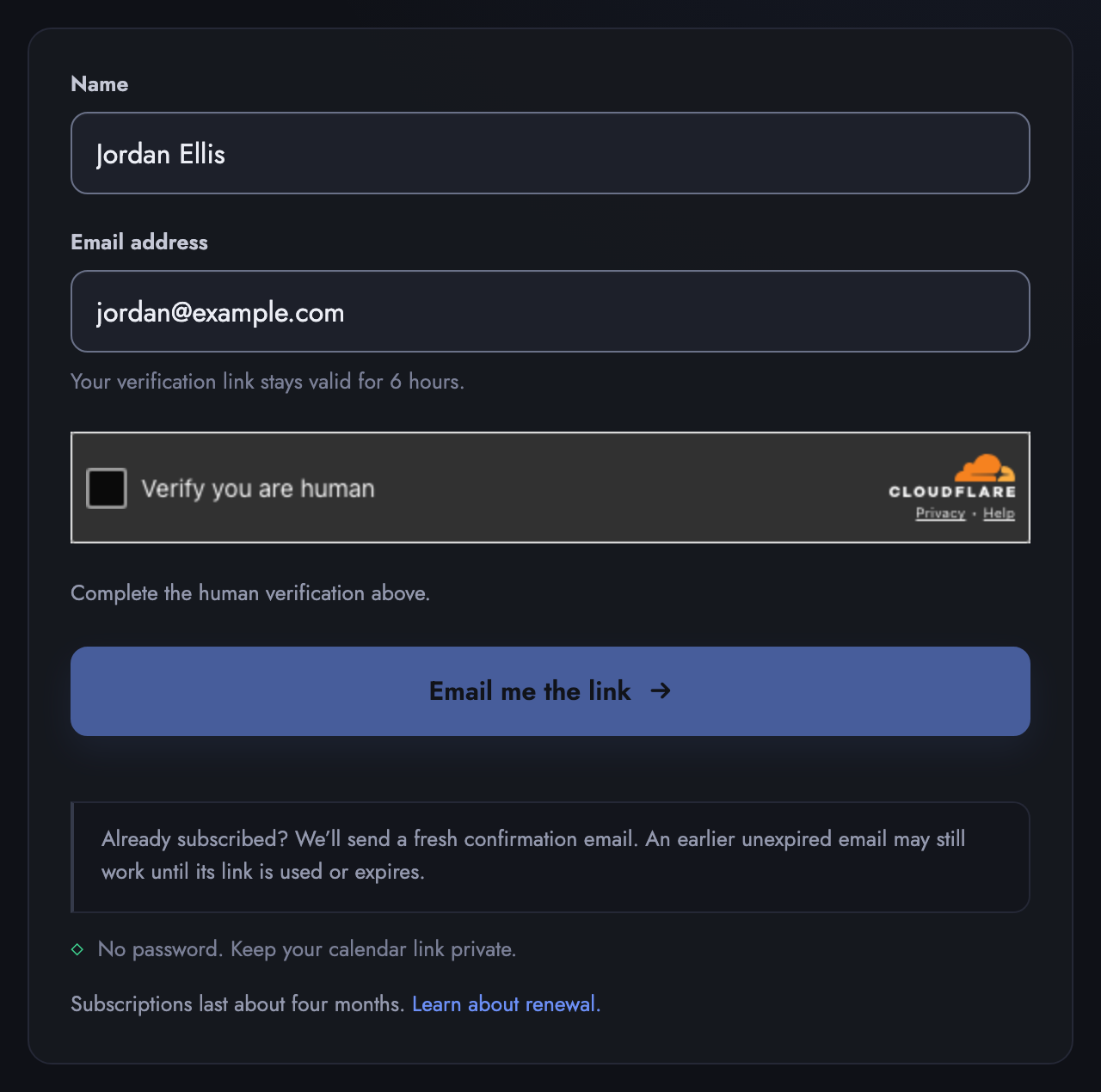 Example with fictional data. Email me the link stays dim until the human check passes.
If this is your first subscription
- Choose Subscribe to Programs to create your private feed.
- Pick your calendar app, or open Having trouble adding the calendar? and choose Copy private URL to add it manually.
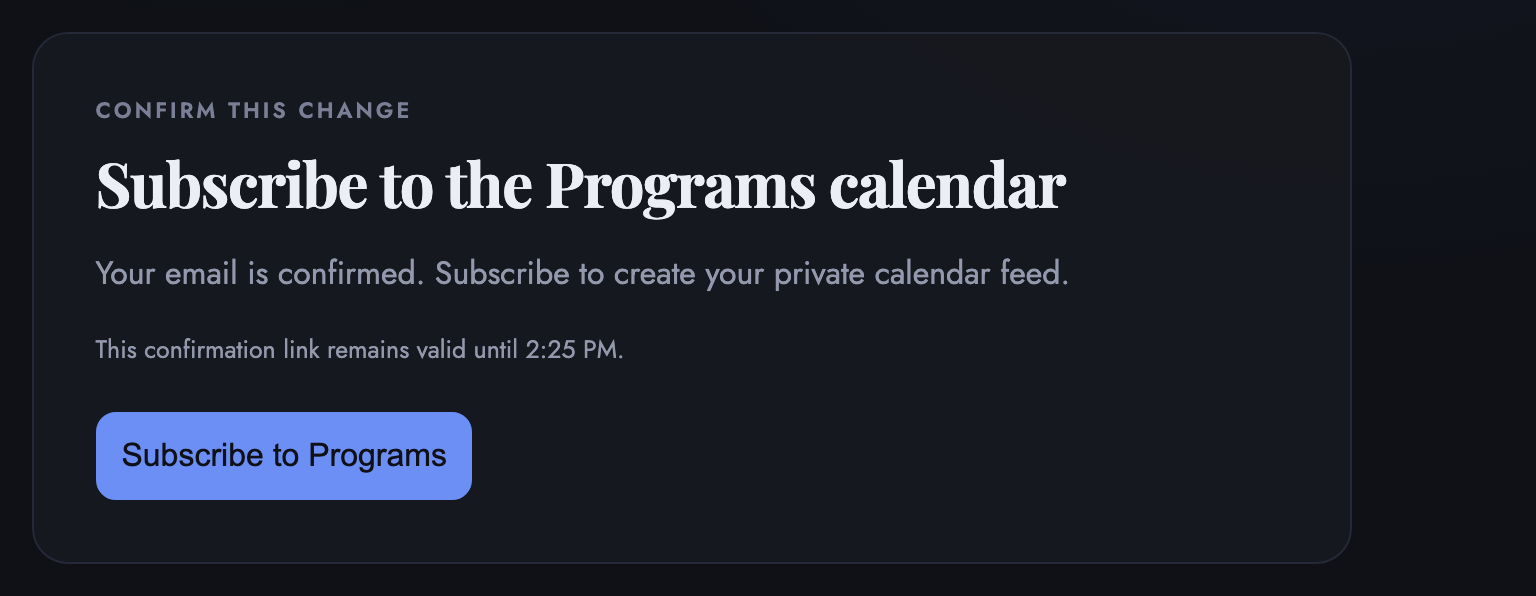 Example with fictional data. Nothing is created until you choose the action shown.
For Google Calendar on a computer, choose Other calendars → + → From URL and paste the private URL. In Outlook, choose Add calendar → Subscribe from web or From Internet.
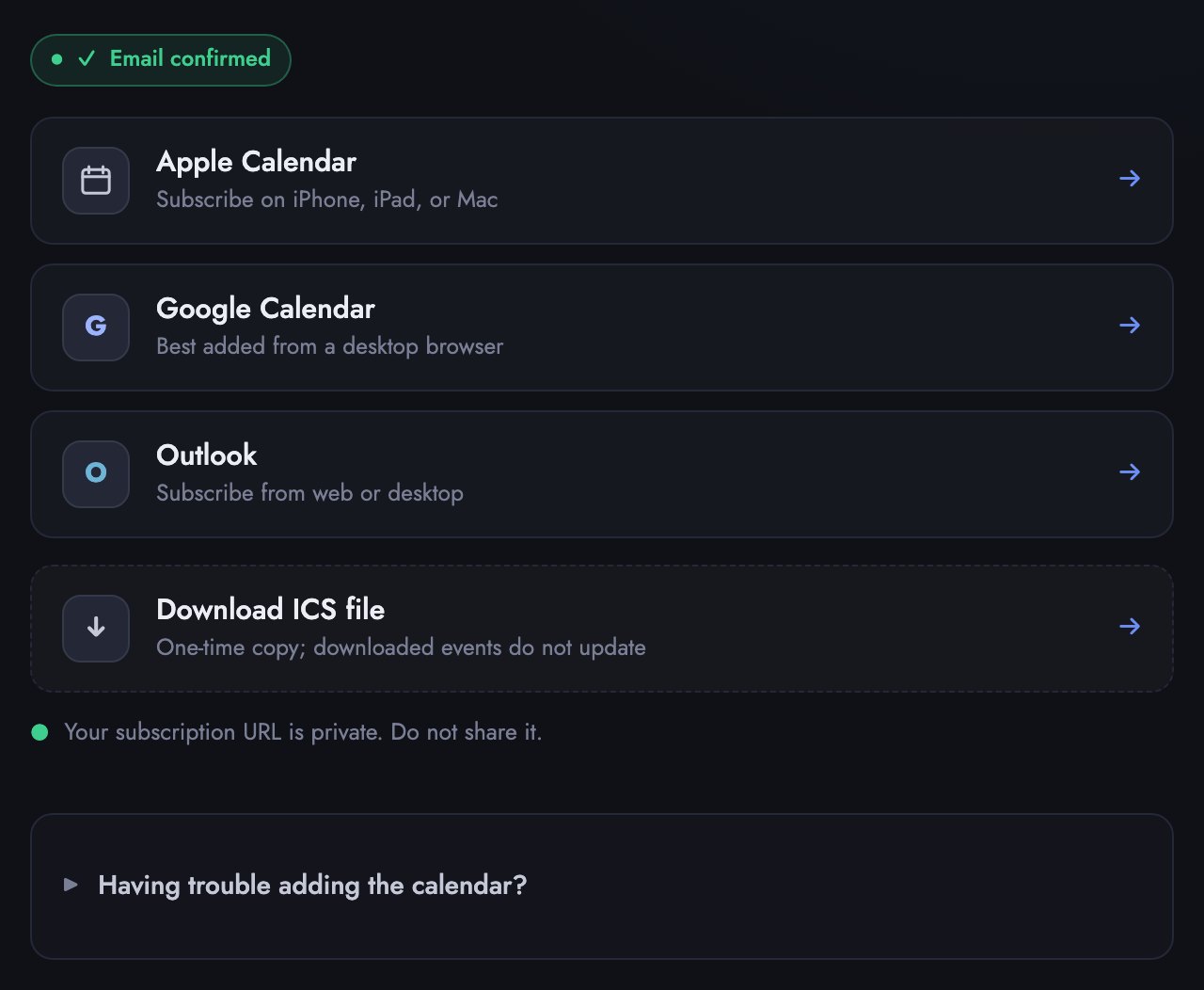 Example with fictional data. Every choice here carries the same private URL, which is yours alone to keep.
If you already have a Programs feed
Requesting or opening another email link does not replace a working feed. If House Desk finds a current feed for the confirmed address, it shows two choices:
- Keep current feed leaves its private URL and your calendar apps unchanged, and opens Manage so you can check or renew it.
- Replace current feed retires the old private URL and creates a new one. Calendar apps using the old URL stop receiving updates, so you must add the new feed to each app.
You also see these choices when your feed has expired but was not revoked. Choose Keep current feed and renew it in Manage to restore the same URL.
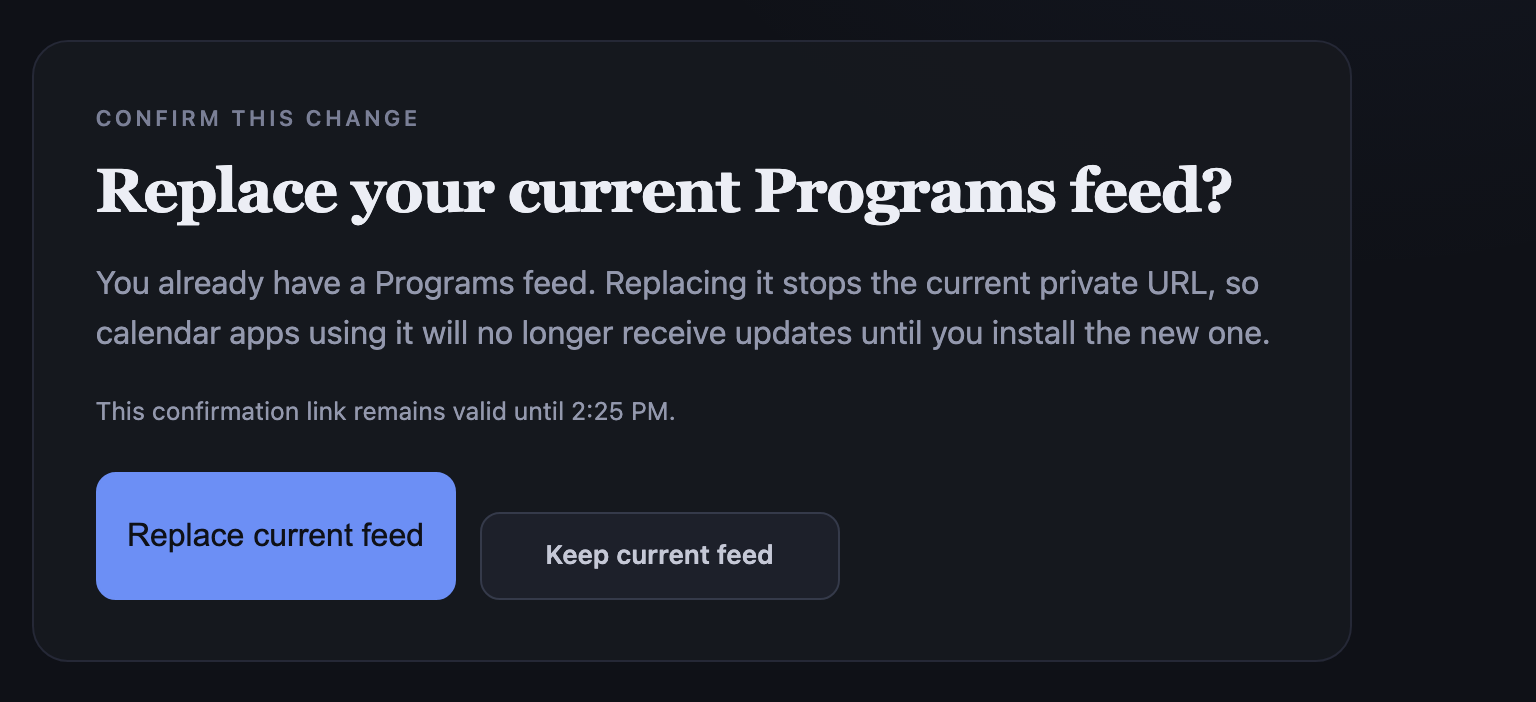 Example with fictional data. Replacing the feed requires the confirmation shown.
If the email link expires, request another one. Receiving another email does not cancel your current feed.
Keep the calendar URL private
Your calendar URL is unique to you. Treat it like a password:
- do not post it publicly or in group chats;
- hide it in screenshots and messages;
- if it was exposed, replace the feed and remove the old subscription from your calendar app.
Reuse the same private URL on another personal device when possible. Replacement is for a revoked or exposed link, or when renewal does not restore updates.
Manage, renew, or revoke
To open the dashboard:
- Open Manage, enter your email, pass the Verify you are human check, and choose Email my private link.
- Open the email, select Open calendar settings, then choose Continue to settings on the page that opens. Opening the email alone does not change the feed.
- Review the feed status and available actions on the dashboard.
- Renew access extends the current private URL, so nothing changes in your calendar app.
- Start replacement returns you to the confirmation flow. It does not stop the current URL by itself.
- Revoke access stops the current URL from serving future updates after confirmation.
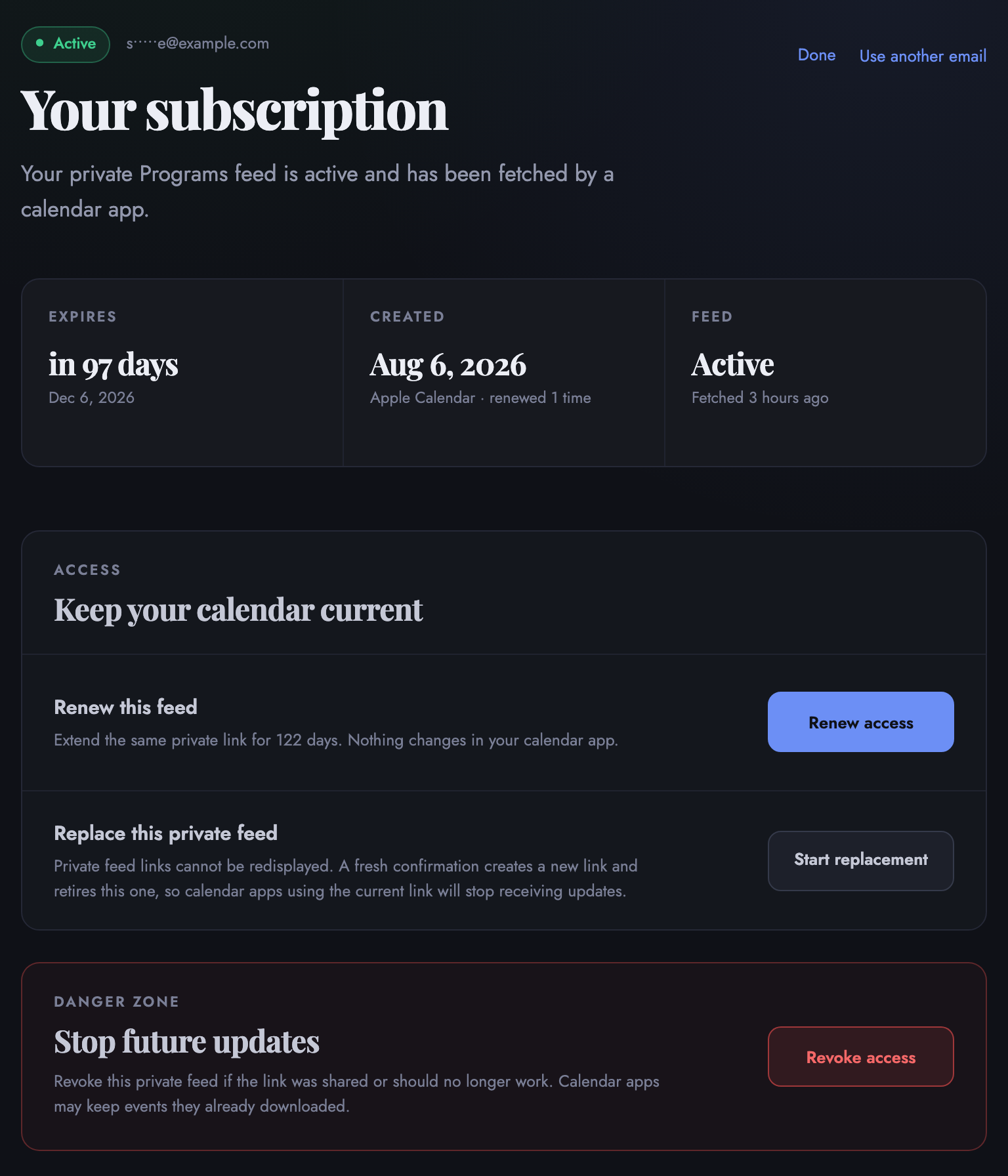 Example with fictional data. Starting replacement keeps the current URL active until replacement is confirmed.
Revoking stops future refreshes but does not remove events already downloaded by your calendar app. Remove the calendar subscription in that app as well.
Subscription validity
A calendar entry can look wrong for three reasons: your subscription stopped receiving updates; House Desk copied the details across incorrectly; or the plan changed after the entry was published. House Desk fixes the first two. The third belongs to PRL or the event organizer. If you cannot tell which one you have, go straight to Report a mismatch.
- A Programs subscription lasts about four months, roughly one semester.
- Renewal reminders arrive by email about two weeks and again about three days before expiry. Renewing from a reminder extends the same feed, so you do not need to add it again.
- If a feed expires, the calendar shows a daily Calendar feed expired. Tap to renew. entry instead of ordinary events. Open it to renew the same feed.
- About a week after a feed expires, House Desk sends one last email. Its button opens the subscribe page; to keep your current URL, choose Keep current feed there and renew in Manage rather than replacing the feed.
Treat an end time as an estimate
A one-hour entry usually means the finish time was never announced, not that the event lasts exactly one hour. Programs are often announced with a start time and nothing else, and a calendar entry has to end somewhere, so House Desk shows a one-hour block. The real event may be shorter or longer. The House Desk operator may estimate on event duration beyond the default. Check with the organizer when the finish time matters to you.
Where these entries come from
House Desk is an independent, resident-run calendar. Most entries are built from information published by Programs & Resident Life (PRL), the I-House staff office, and the rest from other material residents share about House programs, such as a program’s own WhatsApp chat. An authorized operator reviews every entry before it appears. PRL publishes the programs; it does not run or maintain this calendar. Anything House Desk got wrong while building an entry is House Desk’s to fix.
To see where an entry came from, open it in your calendar app and read its notes. Most entries carry a line beginning Based on: that names where the details came from, such as one or more newsletters or a program’s chat. It ends with (edited by House Desk staff) when House Desk has changed the details since receiving them, and reads Based on: House Desk staff for an entry House Desk added itself. An operator can also correct a published entry later, and the correction reaches your calendar app on its next refresh, with nothing for you to add again. Note, errors from House Desk’s end are few, and usually associated with technicalities rather than content. House Desk does not support spreading of misinformation and the information we or our preprocessors process is coming directly from Programs & Resident Life (PRL), the I-House staff office, and the rest from other material residents share about House programs, such as a program’s own WhatsApp chat.
A note on event changes after the weekly newsletter
Programs details also change after the newsletter goes out. A cancellation, a new time or room, or a closed registration can reach the calendar late.
Two delays stack up. The first is House Desk’s. An operator has to see the change and publish the correction, which reaches the feed within about a quarter of an hour. A change announced only in the room, or only minutes beforehand, may not reach House Desk at all. The second delay is your calendar app’s. Apps fetch subscriptions on their own schedule, and some take hours, as described under refresh timing. A same-day change can therefore sit in the feed for a while before your app shows it.
Waiting on your app is inconvenient, and it is a technical limitation rather than an oversight. House Desk is deliberately calendar agnostic. It publishes a standard iCalendar feed, also called ICS, so one subscription works in Google Calendar, Apple Calendar, Outlook, or anything else that reads the standard. The standard describes what an event is. It does not say how often an app must check for changes. Each app sets its own refresh timing and adds its own rules on top of the standard, and a publisher can suggest a refresh interval but cannot require one. House Desk has no way to make your app fetch sooner.
Delivering a change the moment it happens needs the opposite arrangement: every resident inside one hosted calendar system, with a paid seat for each person. That is a service PRL would have to buy and run, not something House Desk can add to an open feed.
What this means in practice:
- Read a calendar entry as the last published version, not as a live status. An event still showing on your calendar is not confirmation that it is running.
- Check PRL’s latest communication or the program’s WhatsApp chat before heading over to anything same-day, and to any event with limited space, an unusual room, or a signup deadline.
- Refresh the calendar manually in your app (if you can) when you need the current entry sooner than its next automatic fetch.
If an entry contradicts the source it cites, report a mismatch. If the source itself changed after publication, follow PRL’s latest communication or contact the organizer.
Report a mismatch
If a calendar entry does not match its cited source, contact House Desk. If the source itself is outdated or the event later changed, follow PRL’s latest communication or contact the organizer.
If you cannot tell which of the two it is, or the entry cites no source, contact House Desk anyway. Name the event, say what your calendar shows and what you expected, and House Desk will work out which side it came from.
Refresh timing
Calendar apps decide how often they fetch subscriptions:
- Apple Calendar often updates within minutes to a few hours.
- Google Calendar may take several hours and occasionally up to a day.
- Outlook timing varies by device and account, but is usually measured in hours.
A newly published or corrected event may therefore appear at different times for two residents.
Fix a sync error
If your app says Sync Error, Can’t refresh calendar, or stops showing updates:
- Compare the delay with the refresh timing above. A recent change may still be waiting for your calendar app.
- Open Manage and request a management email.
- Open the email, choose Continue to settings, and check the feed status.
- If the feed expired, renew the same link first.
- Give the calendar app another refresh window after renewal.
- Replace the feed only if it was revoked, exposed, or still fails after renewal.
- If replaced, remove the old subscription from the app and add the new private URL.
Recurring programs
Standing weekly programs, such as sports and practice sessions, come from a separate schedule design that PRL maintains rather than from the weekly newsletter.
House Desk keeps these entries in step with that design, but a change to it waits for an operator. A new time, room, day, or frequency, a new program, or a retired one may therefore not be on the calendar yet, and until then an entry keeps its old details. A program that runs once a month rather than every week appears only when an operator adds its dates. Check PRL’s own schedule if a standing program is missing or looks out of date.
These programs usually appear as all-day banners and do not mark you busy. Where a time is shown, it is the program’s planned slot; most standing programs run weekly, and a few run every other week. Whether a session actually runs depends on resident volunteers and on space and equipment being free that week, so check the program’s WhatsApp chat or the relevant resident channel before heading over. A program the design no longer lists eventually drops off the feed.
RSVP and lottery events
Some events ask everyone to RSVP; others use a lottery because space is limited. Adding an event to your calendar does not register you and does not hold a place for you. Every entry carries a Registration: line pointing to PRL’s or the organizer’s latest instructions, because the calendar does not know which programs need a signup and which do not.
An entry may also include a line labeled Link:. That is the sign-up or details link the source itself gave, checked by an operator when the event was published, and it is often the quickest way to sign up. Confirm it before you rely on it: House Desk can copy or rebuild a link wrongly, and PRL or the organizer may have posted different instructions, a different link, or a closed list since. Follow the organizer’s latest instructions, and tell House Desk if a link is broken or does not match the source the entry cites.
Subscription or one-time download?
- Subscription (recommended): stays in sync as events change.
- One-time download: imports a static snapshot and never updates.
Bulletin help
The Bulletin is separate from the calendar. Use it to search reviewed notices, deadlines, links, and practical information. Programs answers when something is happening; the Bulletin often answers what you need to know or do.
Some dated notices, such as a closure or a deadline, may also appear in Programs as all-day entries after an operator reviews them.